.png?width=106&height=50&name=Copy%20of%20LDA%20Logo%20RGB%20(1).png)
Welcome to the new and improved LDA Dashboard! We have completely overhauled the interface to give you total control over how you view, manage, and interact with your data.
While the core tools you rely on like Create a Client/Case, Client/Case Management, My Organizations, and My Groups remain easily accessible at the top of your screen, the rest of the space is now entirely yours to customize.

Key Features
1. Complete Layout Customization
You can now tailor the dashboard to fit your unique workflow.
- Mix and Match: Select exactly which widgets you want to see and hide the ones you don't.
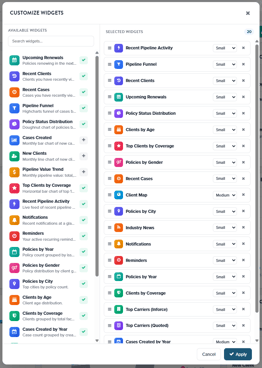
- Drag and Drop: Reorder widgets to prioritize your most important data.
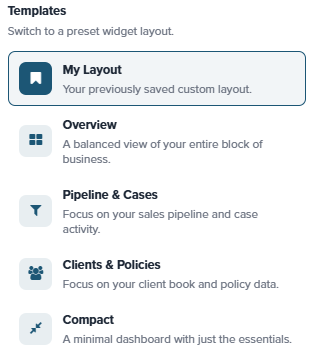
- Pre-Built Templates: Use our quick-filters to instantly switch between different optimized layout templates.
2. New & Enhanced Widgets
The revamped dashboard introduces a robust suite of widgets to keep you informed and organized:
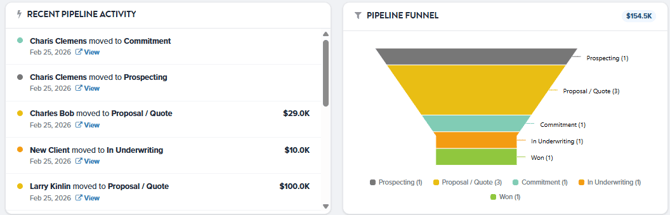
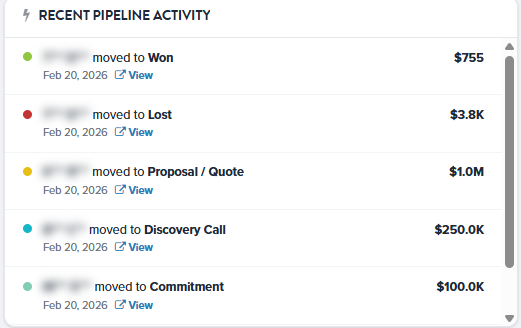
- Activity & Pipeline: Track your Pipeline Funnel, recent pipeline activity, and upcoming renewals.
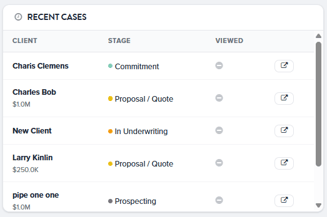
- Stay On Track: View recent clients, cases, notifications, and reminders.
- Industry Insights: Keep up with the latest industry news directly from your dashboard.
- Advanced Statistics: Analyze your book of business with visual breakdowns, including:
- Clients by age or coverage type.
- Your most frequently quoted insurance carriers.
- Average face value of policies.
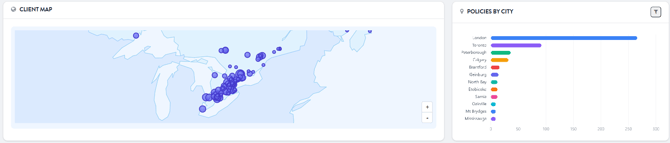
- Geographical Mapping: A visual breakdown of where your clients are located, perfect for planning efficient client meetings when you travel.
3. Privacy Mode (Screen Share Friendly)
Want to collaborate with a client without revealing sensitive data? The new Privacy Mode toggle instantly hides all Personally Identifiable Information (PII) on your screen. This allows you to confidently share your screen during meetings without compromising other clients' data privacy.

We are incredibly excited to roll out these updates to help streamline your day! If you have any questions or need assistance setting up your new dashboard, our team is here to help:
- Email Us: Reach out directly to our support email.
- Live Chat: Click the green support bubble in the bottom right corner of your screen to chat instantly with our Customer Support team.