
Report Concepts Case Setting
There are a ton of page options available in Propel. Learning every page and what to use when getting started can be time-consuming. That's why Propel offers the report concept setting.
Report Concepts pre-selected page options for different concepts or presentation types.
In the case-control section of the design case page, you'll find report concepts. When you click on it, a drop-down menu will appear with multiple sections. Choose the option that best suits the case you're designing.
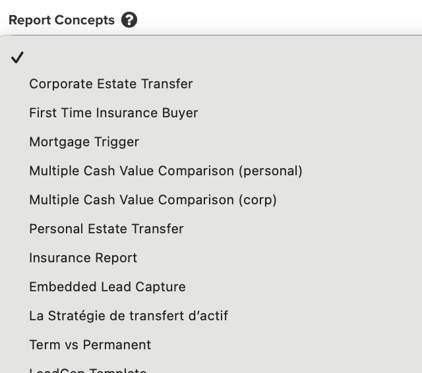 *
* More options are available in Propel.
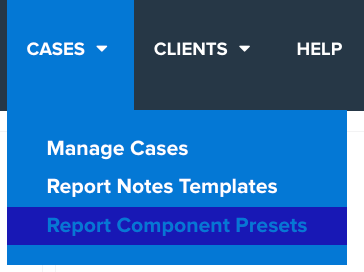
TIP: Don't see an option the suits the case you're designing? Create your own. To do this, go to the report component preset option at the top of any page in Propel.
Preferred Companies
Having market surveys with the ability to add the plan data into a presentation is already a massive timesaver. The preferred company setting takes that to the next level.
Instead of searching for all the carriers across Canada, Preferred Companies is a way to see results specific to the carriers you work with.
To set up a preferred company list, go to the account settings page.
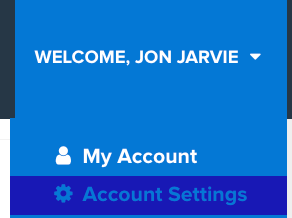
In account settings, go to the tab labelled Lifeguide.

Scroll down to the Preferred Company section and select the carrier you wish to see in your list.
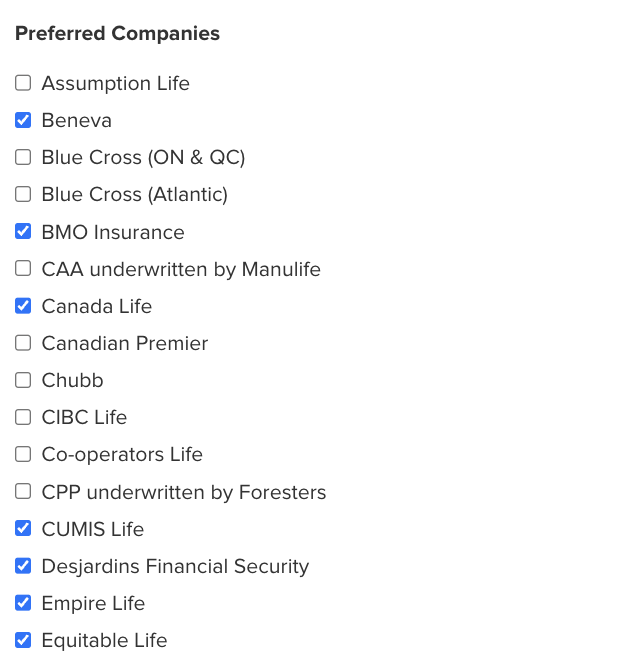
Click Save & Continue to lock in these selections.
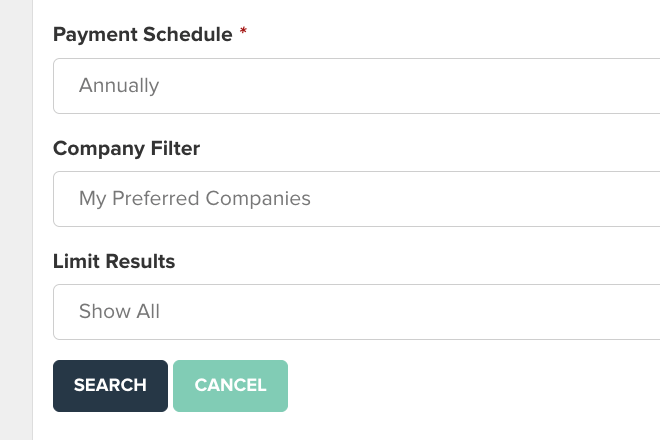
Once you've done this, when you search for a plan, you'll find the Preferred Companies option as a default in your company filter.
Case Automation
Did you know Propel will create an insurance presentation automatically when an opportunity is detected for an inforce policy? Thanks to Case Automation, Propel will start the process of acting on your opportunities.
With the built-in rate integration, Propel will use the client's age, gender, smoker status and insurance benefit of their existing policy and search for new plans to recommend. Propel will use the best rates from your preferred carriers (if created with the steps shown above) for specific product types.
Here are the types of opportunities Propel will create a case for and default plans;
Term 10 Conversion Opportunity: T10 vs T20 Vs Min-Funded UL (T-100)
Term 10 Exchange: T10 vs T20
Term 20 Conversion Opportunity: T20 vs T65 vs Min-Funded UL (T-100)
You can find these opportunity cases through the notifications or the manages cases page.
In the notification section, look for this type of message under the alert;

When selecting "View Case", you can view the presentation.
From the Manage Cases page, you'll see automated cases have a label under the Policy Opportunity Trigger header.
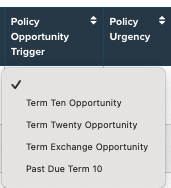
To help avoid confusion finding cases created by Propel and what you've designed, in the internal notes section, you'll see the following notes;

Recipes
If you're a fan of showing clients the difference between multiple term lengths over time, then you need to check out the recipes option!
You'll find the recipes option on the design case page.
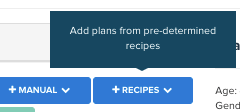
When selected a drop menu will appear with many different product comparison options. By selecting one of those options, you'll initiate a product search for all of those plans.
In this example, I've selected T10 vs T20 vs T30. This is a typical option used for clients who've purchased a house. You'll notice the page that loads, Recipe Specifications, is similar to what you see when searching for an individual term plan.
However, Propel asks you to confirm the recipe selection, as well as insurance benefits, payment schedules, and company filters.
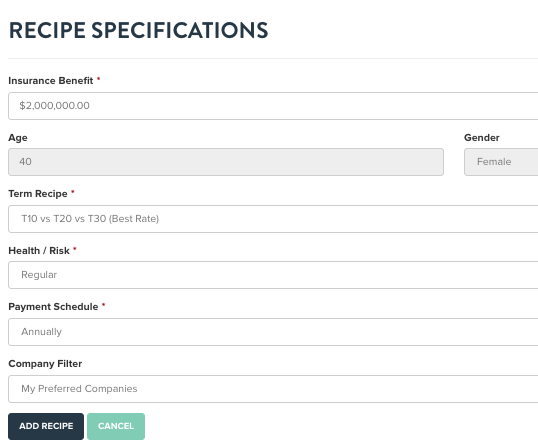
Based on the configuration shown above, Propel will search for the best T10,T20 and T30 plan for my client based on their age, gender, smoker status and insurance benefit you entered.
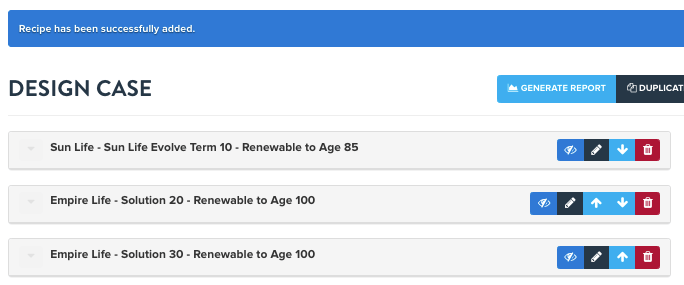
Here are a few recipe rules to consider;
- Recipes can be used for one insurance amount.
- Recipes will be used to show the best rate for each plan in the selected recipe.
- Recipes can be used to bring up the best rates for the carriers in your preferred list, from all Canadian carriers, or from one specific carrier.
- Recipes are limited to plans available in market surveys.
- Currently, Recipes are not customizable.
Case Opportunity Filters
Before using Propel, how long would it take you to find all of your upcoming T10 renewals? If you like most advisors, logging into each carrier portal to find the T10 policyholders would be a time-consuming process. With Propel, finding these types of opportunities can be done in seconds.
The Case Opportunity filters can be found on the Manage Clients page on the top left of the page.
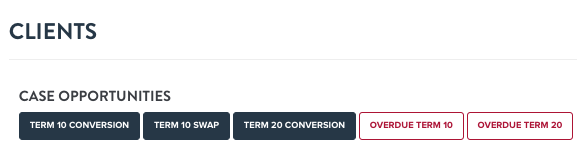
There are 3 types of opportunities options;
Conversions: Upcoming T10 and T20 renewals. Propel will use today's date 10 and 20 years ago and show all plans coming up for renewal in an earlier to latest order.
Swap: Potential T10 Exchange opportunities, using today's date 5 years ago.
Overdue: Searches for T10 and T20 plans using today's date 10 and 20 years ago as the starting point.
Remember, all of these policies can be presented in Propel against your insurance recommendations!
Want To Learn More?
If you'd like to find additional ways to save time in Propel, use the Ask Us a Question tab to speak with a member of our customer success team.

If you prefer to schedule a meeting, click the link below.
Click Here To Schedule a Meeting