.png?width=106&height=50&name=Copy%20of%20LDA%20Logo%20RGB%20(1).png)
Recipes are pre-built templates designed to help you generate polished, visual client presentations in minutes. Instead of building every comparison from scratch, Recipes do the heavy lifting for you. For example, if you want to quickly compare a Term 10, Term 20, and Term 30 policy, you simply select the Recipe. The system automatically pulls insurance pricing to instantly find and display the cheapest options for each term length.
Here is everything you need to know to start using Recipes and get your presentations out the door faster.
Start Your Case
Begin by creating a new case, then add a client by either selecting a client by searching their name in the text bar or by creating a new client. Once you have been moved to the Design Case page you are ready to look at recipes. 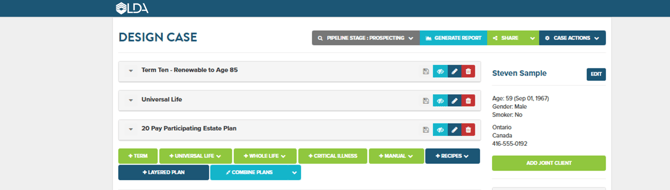
Add a Recipe
On the Design Case page, locate and click the +Recipes button.
This dropdown menu provides a list of standard insurance comparisons so you can bypass the manual setup and jump straight into a pre-formatted template. 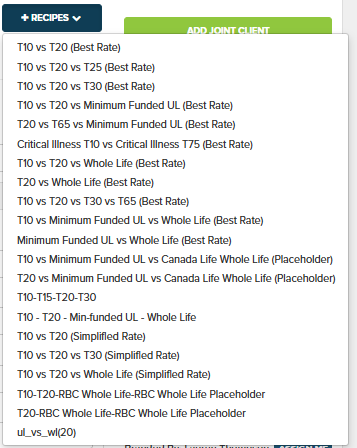
Input Recipe Specifications
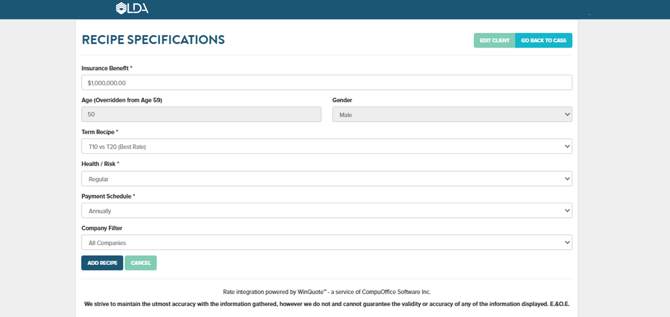
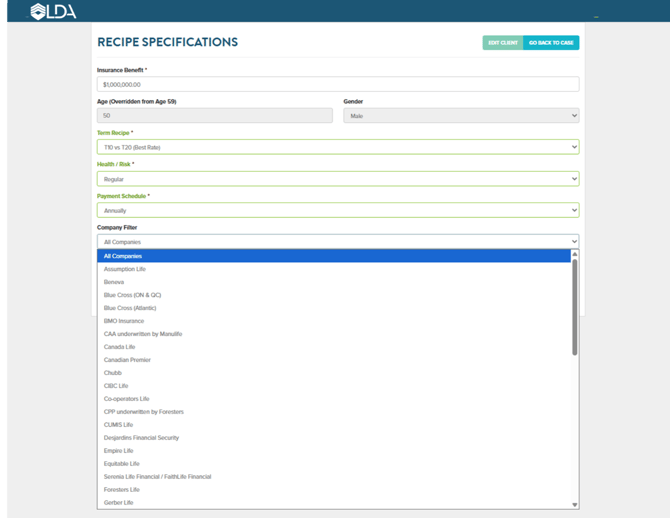
LDA will prompt you for the essential details, such as the insurance benefit amount and the payment schedule. The system needs these baseline numbers to know exactly what coverage parameters to quote across the best products to fit your clients situation.
Let LDA Automate the Search
Select a specific carrier, your preferred companies list or all insurance carriers.This is where the magic happens. It automatically scans for policies that fit from the carrier option you selected and pulls the most competitive rates instantly, eliminating the need to run multiple individual quotes yourself.
Customize Your Report
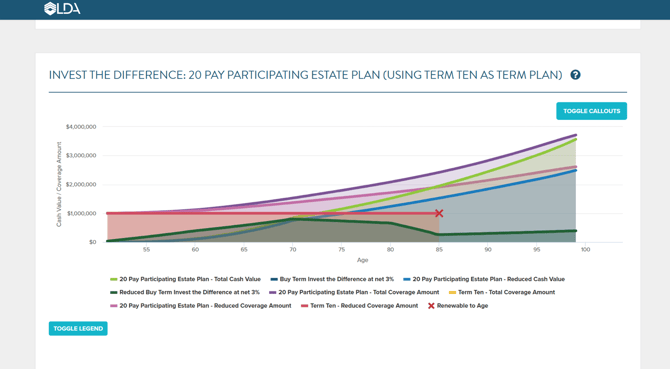
Pick the specific report components that best fit your specific client case. Every client is different. Customizing the report ensures it highlights exactly what your client cares about most, making the data much easier for them to understand and say "yes" to.
Generate and Share
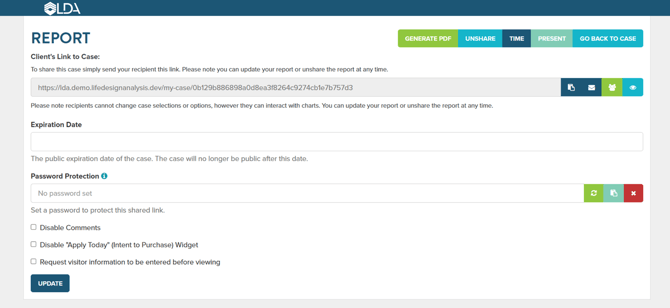
Export your final presentation.
Your custom branding is already set up in LDA; exporting instantly creates a spectacular, professional deliverable that is ready to share immediately.
By integrating Recipes into your workflow, you can stop spending hours designing cases and spend more time actually closing them.